
Instagram downloader not working? Check the public link
Open the specific post or Reel and confirm it still exists and is publicly accessible. Copy its full share link again. A profile, Story, shortened address or incomplete pasted fragment may fall outside the tool’s supported input.
Watermaker accepts individual instagram.com/p/… and instagram.com/reel/… URLs. It does not bypass private accounts, recover deleted posts, use your login cookies or download an entire profile. Trying another spelling of a private link does not change those limits.
Match the message to the next step
| What you see | What to check | Useful next step |
|---|---|---|
| Unsupported or invalid link | Single post URL and correct host | Copy the complete supported link again |
| Unavailable or restricted content | Whether the original still exists and is public | Use an accessible post you are authorised to save |
| Too many requests | The wait message or service limit | Wait as instructed instead of rapid retries |
| Timed out | Whether the request has ended | Try later with the input preserved |
| Expired result | Whether you reopened an old download link | Resolve the original post again |
| Preparation failed | File, audio or capacity error | Read the message, then explicitly retry if offered |
This is a diagnostic checklist, not a claim that every possible upstream failure has been reproduced on every device. A website loading successfully does not prove that it can retrieve a particular file.
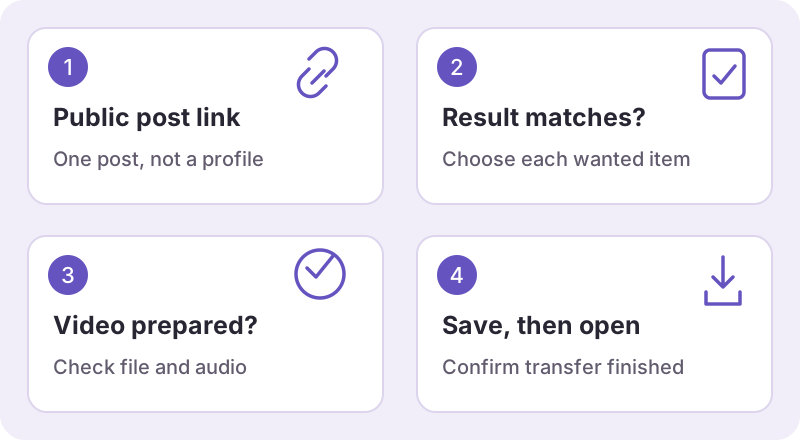
When there is a result but nothing in your gallery
A result card means the post was resolved, not that the browser has saved its file. A video can need preparation first. After its save link appears, choose it and look at the browser’s downloads list.
Phones may save a file in Files or Downloads rather than Photos. Your browser may also ask you to select a location. Check the actual transfer status and open the local file before trying again. The device saving guide has general paths and official browser help.
Separate audio and quality problems
A silent local video is different from a link that cannot be resolved. Follow the no-sound checks to distinguish a muted player from missing audio. A lower-resolution file is also not automatically a failed download; use the quality guide to inspect its real dimensions.
Do not install an unrelated extension or supply Instagram credentials to “repair” a result. This tool uses public links and does not need your password, verification code or session cookie.
Report a repeatable problem
If a fresh supported public link still fails, contact Watermaker. Include the request ID shown on the page, the error label, device and browser, and the stage at which it stopped. Hide sensitive details in screenshots.
A helpful report distinguishes “the form rejected the link,” “preparation failed,” “the browser stopped transferring,” and “the file is in the wrong place.” That detail is more useful than repeatedly clicking an old result or assuming a different downloader is proven to work.
You can return to the main tool or Reels page when ready. A limit or source restriction may still require waiting or choosing different authorised content.