
What controls Instagram video download quality?
The creator’s camera or editing export is one file. The version processed and made available by Instagram can be another. The file a link-based service can obtain may be a particular encoded source version, rather than the creator’s untouched original.
Downloading does not reverse detail lost earlier. Combining a separate audio track also does not improve picture detail: stream-copy preparation keeps the video encoding instead of inventing a higher-resolution image.
Read dimensions before calling a video 1080p
A common portrait Full HD frame is 1080 × 1920. A portrait file measuring 720 × 1280 has fewer pixels. Changing the filename, enlarging a player window or selecting a label does not change that fact. Resolution is one part of quality; compression, motion and the source itself also matter.
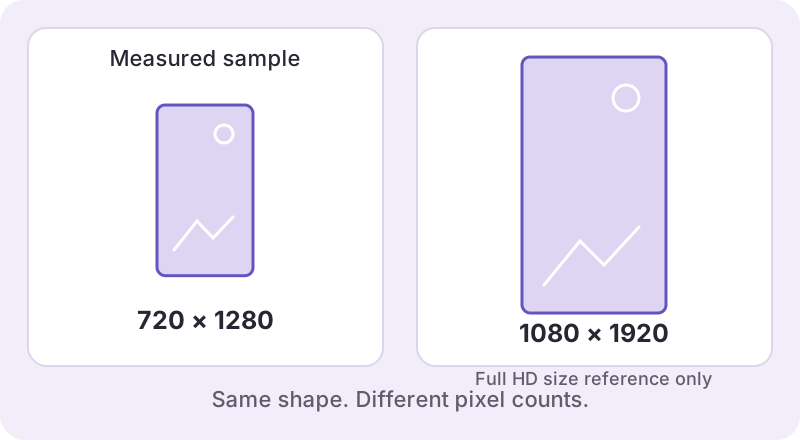
| Measured file example | Dimensions | What it tells us |
|---|---|---|
| Local video/Reel sample | 720 × 1280 | A real 720-wide source, not a 1080p result |
| Mixed-carousel video sample | 720 × 960 | A different aspect ratio and source size |
| Local photo sample | 1439 × 958 | An image dimension, not a video quality label |
These examples come from our small October 22, 2026 technical check. They do not prove that all available files use those dimensions, that this provider always selects the highest version, or that a 1080p output has been verified.
Check the actual downloaded file
- Find the completed local file, not its preview image or a streaming tab.
- Inspect its width, height, format and file size with your device or media player.
- View it at a consistent size and look at motion and fine detail, not just a paused thumbnail.
- If comparing two results, use the same post, player and display size.
On Mac, QuickTime Player’s Movie Inspector displays media information and can be opened from its Window menu or with Command-I. See Apple’s Movie Inspector instructions. Other players expose different information.
What Watermaker does and does not promise
The tool shows dimensions when they are known and does not label an unknown file as 1080p or 4K. It does not upscale a lower-resolution source to claim restored detail. A successful video preparation means its required file checks passed; it is not a comparison against every version Instagram may serve.
“No added watermark” is separate from picture quality. A source logo, username or other embedded mark remains. If your work needs the highest-quality master, keep the original export before uploading or obtain it from the creator with the necessary permission.
If the result still looks wrong
Check whether you saved a photo preview instead of the video, whether the transfer is complete, and whether your player is enlarging a small source. A fresh resolve may help an expired or changed source, but it cannot guarantee a better version.
Return to the Reels tool for an available file, use the saving guide to find it, or follow the failure checklist if the problem is retrieval rather than image quality. Report a mismatch with the request ID and measured dimensions rather than only the word “blurry.”