
Instagram Reels Download Without Watermark
Turn an available public Reel into a file you can keep. Check the result, prepare the video, then choose where your browser saves it.
Choose each item. Keep control of your download.
Instagram Reels download without watermark: three steps
- Copy the Reel link. Open the individual Reel and use its share menu to copy the link. A profile address does not identify a video.
- Paste it above. Choose “Get download links” to request the available file. You keep control of when the link is submitted.
- Prepare, then save. A video is checked before its final save link appears. Choose “Save video” and look in your browser’s download list.
You do not need to install an app or sign in to Watermaker. Only save your own work or material you have permission to keep and use.
Why the sound check matters
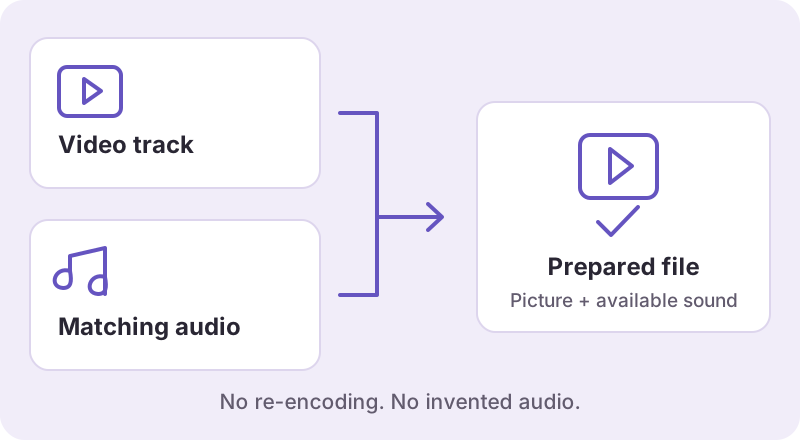
An MP4 can contain a video track without an audio track. Some sources provide the matching audio separately, so downloading only the picture would produce a silent file. The preparation step checks the video and combines available corresponding tracks when necessary.
That process does not invent missing sound or guarantee every music track is available. If the source has no accessible audio, the result may be unavailable rather than a misleading “success.” See the Reel audio checklist for checks you can make.
The available source determines the quality
Dimensions and format are shown when they are known. We do not turn a lower-resolution source into genuine 1080p, and a downloaded version is not necessarily the original camera file. Preparing separate tracks does not re-encode the picture.
For example, our small pre-launch technical check included a 720 × 1280 Reel. That is a measured sample, not a promise that every Reel will have the same dimensions. Learn how to check video quality before relying on a label.
No added watermark, with clear limits
Watermaker does not add its own logo to the downloaded file. A creator’s existing logo, username, subtitles or other marks remain. This is a saving tool, not an editor for removing material from a video.
The service handles individual public links. It does not open private accounts, bypass login requirements, archive an entire profile or package a batch of Reels into a ZIP. Free access remains subject to resource and fair-use limits.
Find the file on your device
Start with the downloads list in the browser you used. On a phone, a file may be in Files rather than the Photos library. On a computer, it is commonly in Downloads unless you selected another folder. Our device saving guide explains the general paths without assuming that a click has already saved a file to your gallery.
If a result expires or preparation fails, follow the message instead of repeatedly opening an old link. The download troubleshooting guide separates link, access, timeout and expiry problems.
Help for your next step.
How to Download Instagram Videos Without Watermark
Find browser downloads on your phone or computer, save an available public Instagram file, and check it before relying on it offline.
Read the guide AUDIO TROUBLESHOOTINGInstagram Reel Download No Sound? Checks and Fixes
An MP4 file can contain video without an audio track. First check the original Reel, then your player, then the actual saved file. Turning up the volume cannot restore a track that is not in the file.
Read the guide UNDERSTAND YOUR FILEInstagram Video Download Quality: 720p, 1080p and Blur
A download can only preserve the detail in the available source version. Check the actual file dimensions and playback before trusting an “HD” label or assuming another tool will recover a camera original.
Read the guide