
Instagram Reel download has no sound? Start with the source
Play the original Reel in Instagram and check whether it has sound. Then open your downloaded file in another compatible player and confirm that the player, tab and device are not muted. These checks separate a local playback problem from a missing track.
If the original is silent, a downloader cannot invent the missing sound. If only one player is silent, investigate that player before requesting the same file repeatedly. If every player is silent but the original is audible, inspect the downloaded file’s tracks.
MP4 describes a container, not an audio guarantee
A file ending in .mp4 can hold video and audio, video alone, or other supported track combinations. The extension does not prove that a soundtrack is present. A video source and its corresponding audio source may also be supplied separately.
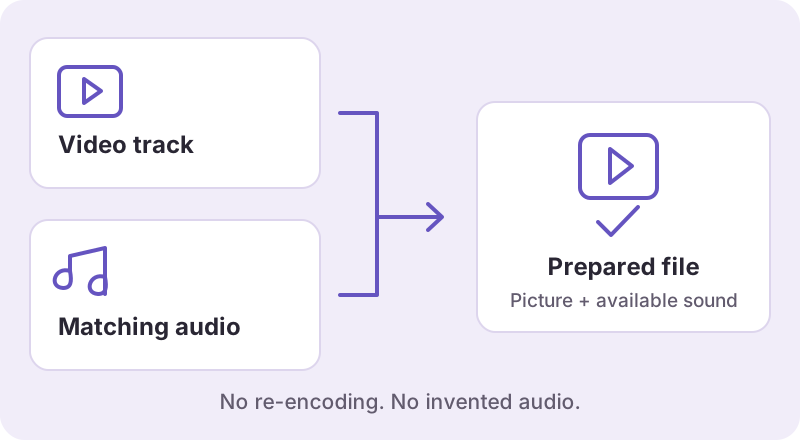
That is why Watermaker videos have a preparation step. The service checks the video, keeps an already complete file when possible, and combines available corresponding tracks when necessary. The ordinary user should not need to install a media-processing program to perform that service-side step.
What our small technical sample showed
In a local API test on October 22, 2026, one Reel response included a 720 × 1280 H.264 video with no audio track and a separate AAC audio source. Both source files downloaded and decoded. Combining them without re-encoding produced a file with one video track and one audio track.
| Check | Source video | Prepared output |
|---|---|---|
| Picture | 720 × 1280, H.264 | 720 × 1280, H.264 |
| Audio track | None in video file | AAC included |
| Duration | About 51.13 seconds | About 51.15 seconds |
| Full local decode | Passed for the video stream | Passed for both streams |
A mixed-carousel video also passed one local combination check. These are specific samples, not a finding that every Reel has retrievable audio, that all music can be saved, or that every phone has been tested. Stream checks are useful evidence but do not replace listening to the file you intend to keep.
When preparing cannot restore sound
The audio may be absent from the available source, inaccessible to the provider, mismatched, or outside the source’s permitted download behaviour. Licensed music and platform export behaviour can differ from ordinary playback. Do not assume that because a track plays in an app it must also be in every downloadable file.
Do not keep a silent result as a confirmed complete backup of an audible original. Where sound is unavailable, an honest failure or limitation is more useful than a false success message.
Choose the next action
- The player is muted: correct the local playback setting and check again.
- The saved file lacks audio: return to the Reels tool and complete the preparation step for a fresh result.
- Preparation fails: read the error and avoid repeatedly using an expired link.
- The issue persists: report the request ID, device and browser, without passwords or account cookies.
For help locating the actual downloaded file, use the saving guide. For a result that cannot be obtained at all, use the download failure checklist.